Put the repetitive work on rails, and keep the audit trail
Task-specific agents and automations wired into the tools you already run. Triggers, actions, retries, approvals, and alerting — designed against a written workflow map, so routine work happens without anyone touching it and every run can be explained afterwards.
24/7
Workflows run unattended
3+
Years building automation systems
100%
Runs logged and replayable
Built on the automation tooling your team can maintain
Where the hours actually go
Nobody quits over the work. They quit over the handoffs.
Most teams are not slow because the work is hard. They are slow because a person is the glue between six systems that were never introduced to each other.
I map the workflow first, write down every trigger, branch, and exception, and then build automation that logs each run, retries what is transient, and escalates to a human on what is not. When something does break, you get an alert with the context, not a customer complaint.

The problems I get called in to fix:
- 01
Copy-paste between systems
A record is created in one tool and re-typed into three others. Every re-type is a chance to introduce an error nobody catches until month-end.
- 02
Approvals that stall in an inbox
The process is fine on paper. In practice it waits three days because the approver did not see the email.
- 03
Silent failures
A sync broke on Tuesday. You found out on Friday, from a customer, and the missing records had to be reconstructed by hand.
- 04
Automations nobody can explain
A Zap built by someone who left. It still fires, nobody knows exactly what it touches, and everyone is afraid to turn it off.
- 05
Rules that live in one person's head
The exceptions — the VIP account, the refund threshold, the escalation path — are undocumented, so the process only works when that person is online.
1
Workflow map before any build
1 wk
To a first live automation
0
Failures that pass silently
What automation work covers
From a single workflow to an operating system for your ops
Start with the one process that hurts most, then extend. Each piece is scoped, documented, and monitored before the next one starts.
Workflow mapping & audit
We chart the process as it actually runs — not as the SOP describes it. Every manual step, system, decision point, and exception gets written down, then ranked by how much time it costs and how safe it is to automate.
- Step-by-step process map
- System and data-source inventory
- Automation shortlist ranked by payback
- Explicit list of what stays human
Automation expertise
The layers that decide whether an automation is trusted
Anyone can wire two APIs together. Reliability comes from the layers underneath — and those are where I spend the time.
Where the workflow lives, how state survives a restart, and what happens on the fifth retry.
What gets automated
The workflows that pay for themselves first
These are the processes I am asked for most often, and the ones where automation shows up in a calendar within the first month.
Inbox, ticket & message triage
Incoming mail, tickets, and chat classified, tagged, routed, and — where the intent is clear and low-risk — answered with a drafted reply a human can send in one click.
- Intent classification and tagging
- Priority and SLA routing
- Drafted replies for human approval
- Escalation on sentiment or keywords
Record sync between systems
Customers, orders, invoices, and inventory kept in agreement across CRM, ERP, spreadsheets, and the storefront, with a reconciliation job that catches drift instead of hoping it never happens.
- Two-way sync with conflict rules
- Scheduled reconciliation and drift reports
- Field mapping documented per system
- Safe replay after an outage

Document processing pipelines
Invoices, POs, contracts, and forms ingested from email or a folder, parsed into structured fields, validated, and written into the system of record — with anything uncertain queued for review rather than guessed.
- Email and folder ingestion
- Field extraction with validation
- Duplicate and fraud checks
- Review queue for low-confidence records

Reporting & scheduled briefings
The recurring report someone rebuilds by hand every Monday, generated automatically from the source systems and delivered where it will be read — with the numbers traceable back to the query that produced them.
- Scheduled multi-source reports
- Delivery to email, Slack, or dashboard
- Traceable figures with source links
- Anomaly flags on unusual movement

Multi-step agent workflows
When one rule is not enough: a planner that breaks the job into steps, specialists that own each one, shared state so context survives a handoff, and a deterministic fallback for when a step cannot complete.
- Planner plus specialist topology
- Checkpointed state between steps
- Tool permissions scoped per agent
- Deterministic fallback path
Not sure which process to automate first?
Most teams know they are losing hours somewhere but cannot name the workflow. Book a free 30-minute call and we will map your top three candidates, estimate what each one costs to build, and tell you honestly which ones are not worth automating yet.
Real automations. Still running.
Automation and agent work I have shipped
Each of these replaced a manual process with a monitored one. Problem, solution, and my role on every build.
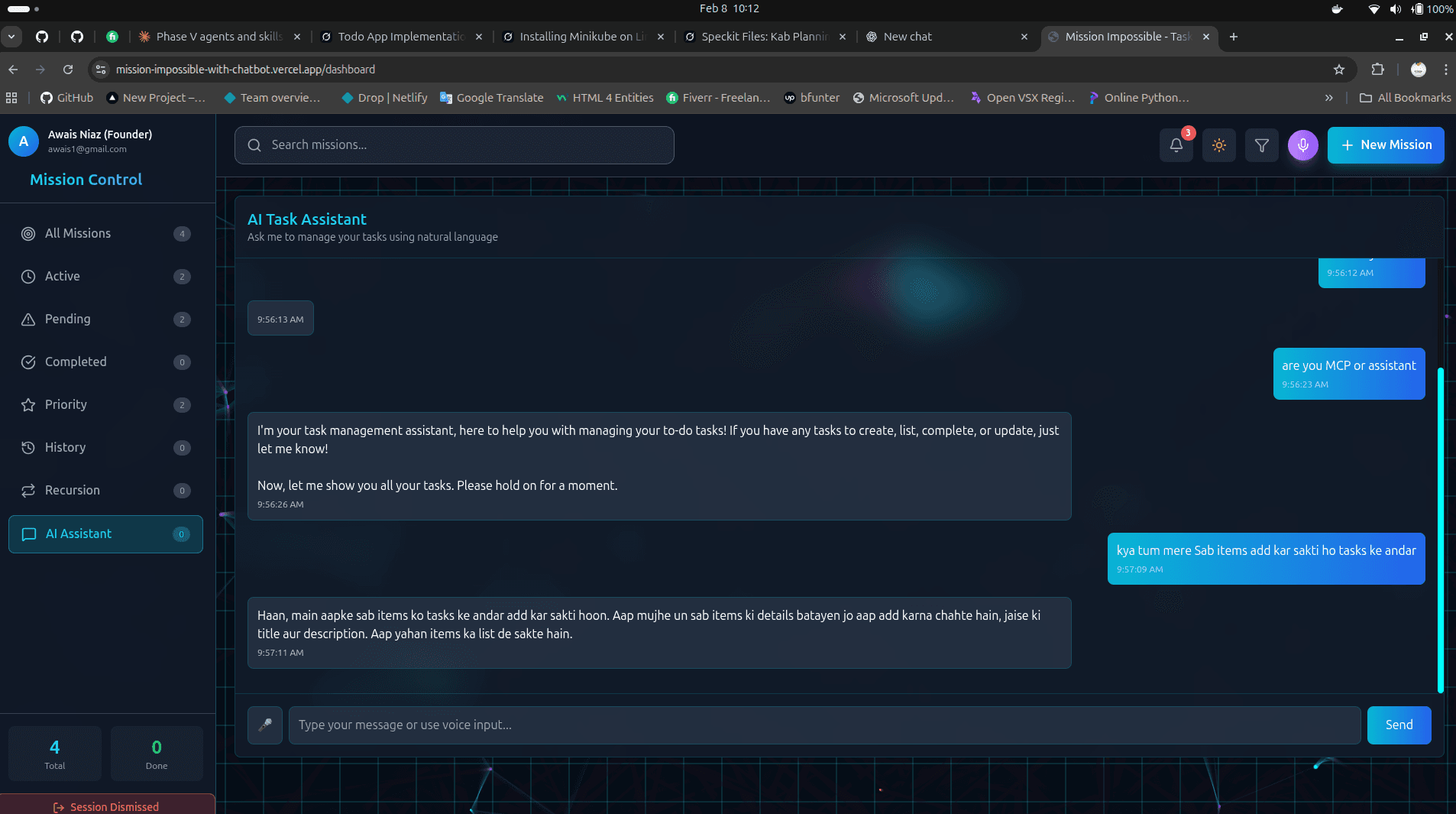
Task Automation Engine
Incoming work items arrived unstructured, requiring manual triage, validation, and routing before anyone could act on them, a bottleneck that grew with volume.

Customer Support Agent
A support team answered the same routine requests by hand, re-reading the help centre and past tickets for every one. Anything that needed an actual change, such as a record updated or a status corrected, meant leaving the ticket and doing it in another system, and escalations reached the next tier as a raw transcript with no context attached.
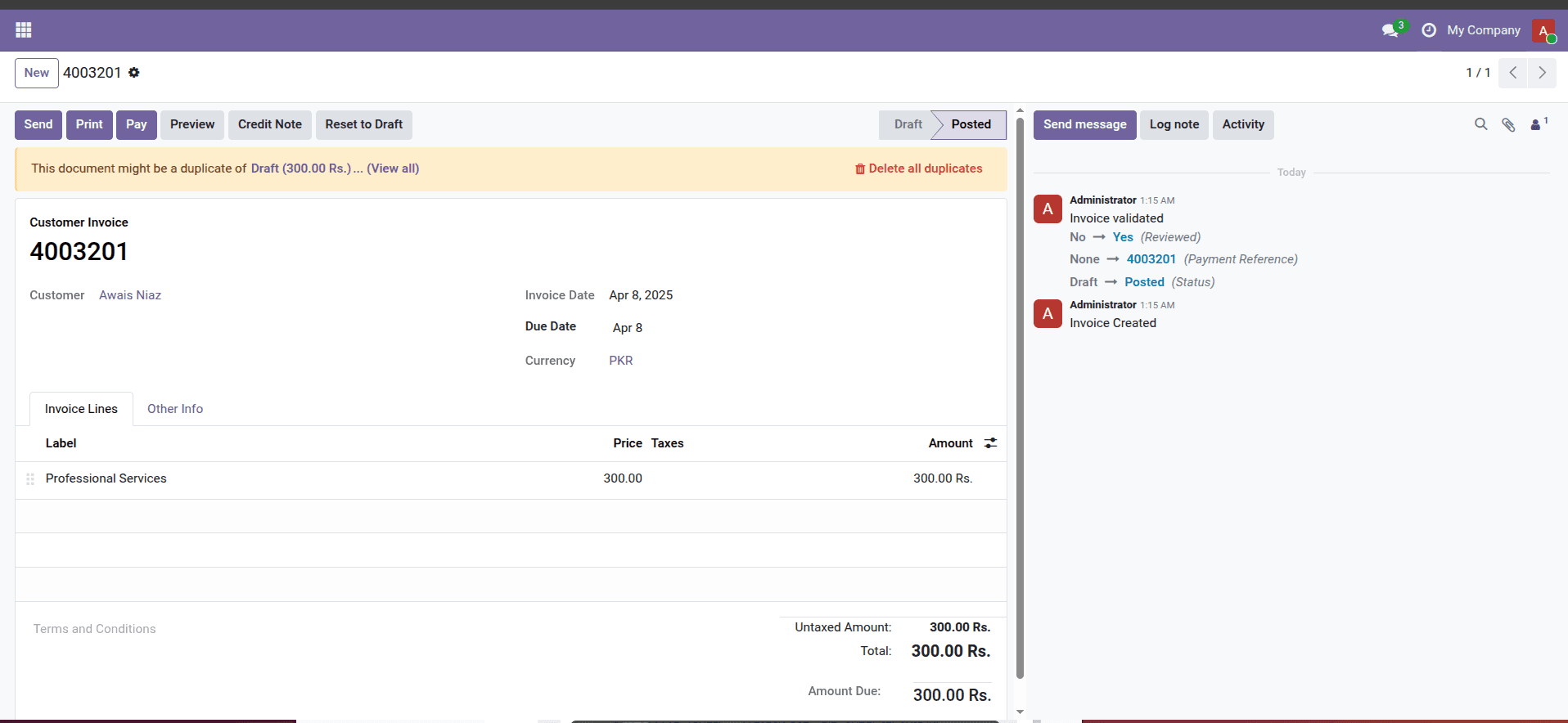
Odoo Integration Hub
An ERP team ran Odoo in isolation. Invoicing, product catalogs, and recipes were managed by hand and didn't sync with the external services the business actually worked in.
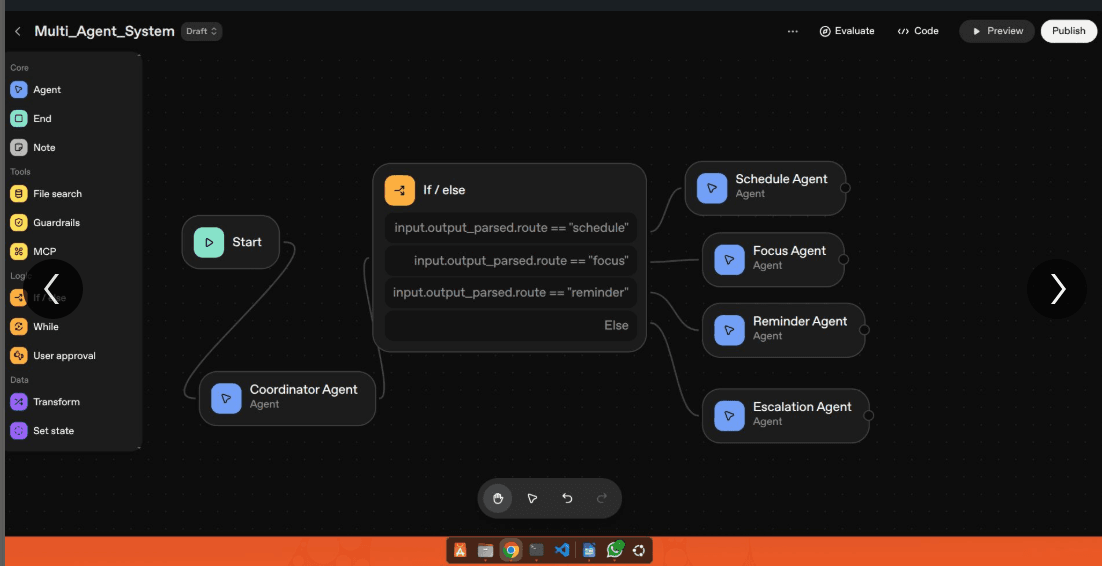
OpenAI Workflow Automation
Complex multi-step business processes relied on manual hand-offs between tools, with no intelligent routing or decision-making along the way.
Where these automations run
Same engine, different rules
The orchestration is portable. The exceptions, approvals, and compliance requirements are what change per sector.
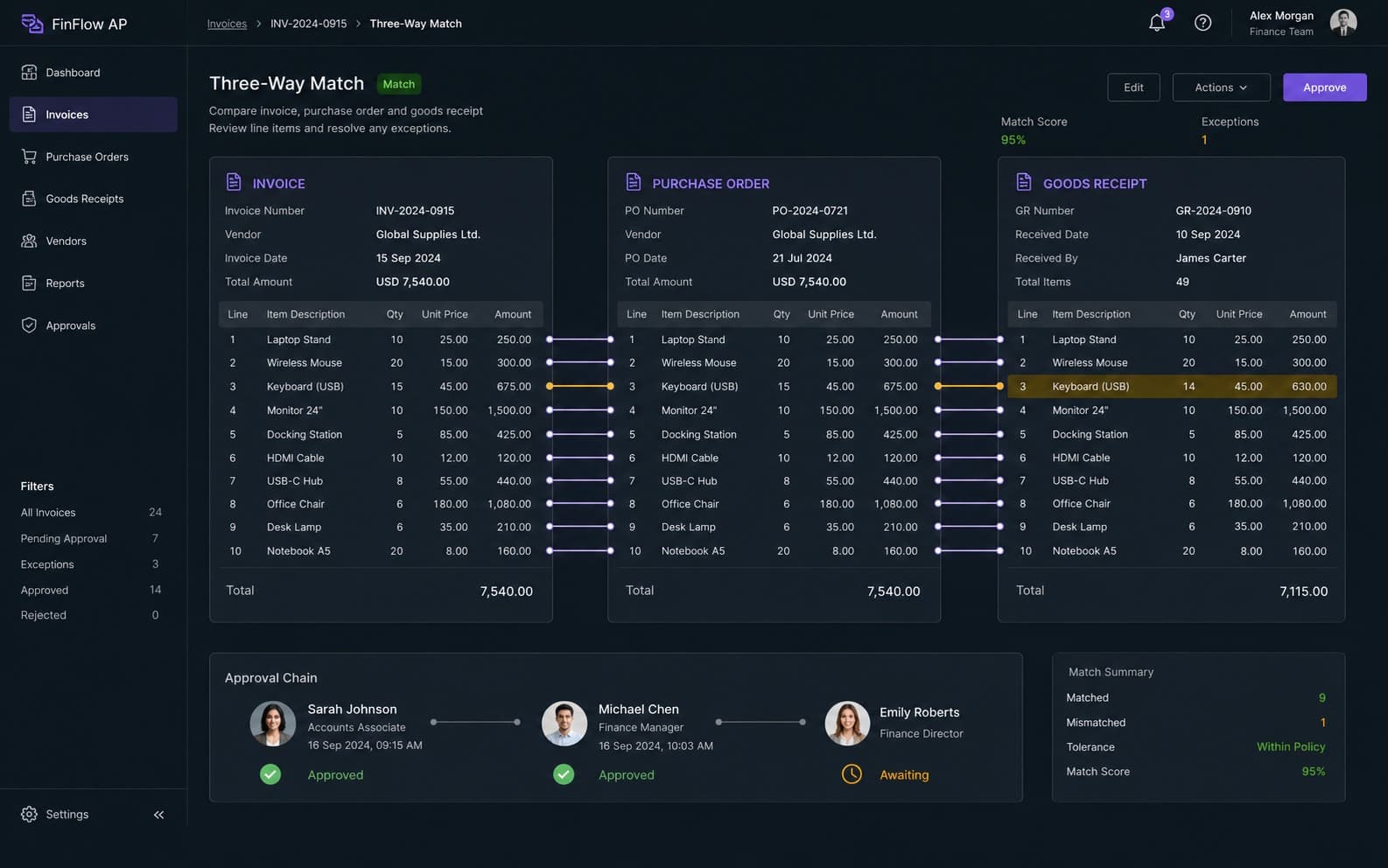
Finance & accounting operations
Invoice intake, reconciliation, and approval chains where every action needs an owner and a timestamp.
- Invoice and receipt extraction
- Three-way matching against POs
- Maker-checker approval chains
- Immutable audit logging
How automation work runs
Map it, build it, watch it, then extend
Small, verifiable steps. The first workflow is live before we discuss the fifth.
Process interview
A working session with whoever actually performs the task — not just the manager who describes it. The exceptions live with the operator, and the exceptions are where automations break.
Deliverables
- Current-state map
- Exception list
- System inventory
Automation spec
Triggers, branches, actions, fallbacks, alerting, and the explicit boundary of what the automation is never allowed to do on its own.
Deliverables
- Trigger and action spec
- Guardrail boundary
- Alerting plan
Build against real data
Workflows are built and tested on a copy of your actual records, because sample data hides exactly the malformed cases that cause failures.
Deliverables
- Working workflow
- Test run history
- Edge-case notes
Shadow run
The automation runs alongside the human process without writing anything, so you can compare its decisions against reality before it touches production.
Deliverables
- Shadow comparison
- Accuracy notes
- Threshold tuning
Go live with guardrails
Production connection with scoped credentials, approval gates on irreversible actions, and alerting wired to a channel your team reads.
Deliverables
- Scoped credentials
- Approval gates
- Live alerting
Monitor & tune
A tuning window after launch where thresholds, routing, and prompts are adjusted against real traffic rather than assumptions.
Deliverables
- Run health report
- Threshold adjustments
- Failure review
Document & extend
A runbook your team owns, then the next workflow from the shortlist — with everything already wired for it.
Deliverables
- Runbook
- Team walkthrough
- Next-workflow plan
Why work with me
Automations built to be trusted, not just to run
The measure of an automation is not that it works on the demo record. It is whether your team stops checking it after two weeks.
Failure is designed, not discovered
Retries, dead letters, and alerting are part of the first build. A workflow that can fail silently is not finished.
Every run is explainable
Structured logs and run history mean you can answer what happened to a specific record on a specific day, months later.
Guardrails before autonomy
Scoped credentials and approval gates on anything irreversible. The automation gets more freedom as it earns it.
No lock-in
Workflows are exported and version-controlled, and the runbook is written for your team. You can take it in-house whenever you want.
12+
Projects shipped end to end
3+
Years building automation
24/7
Unattended operation
100%
Workflows ship with alerting
Frequently asked
Questions people ask before we start
Know the process that is costing you hours?
Describe it in a few lines and you will get an honest read on whether it can be automated, what it would take, and whether it is worth doing now.